
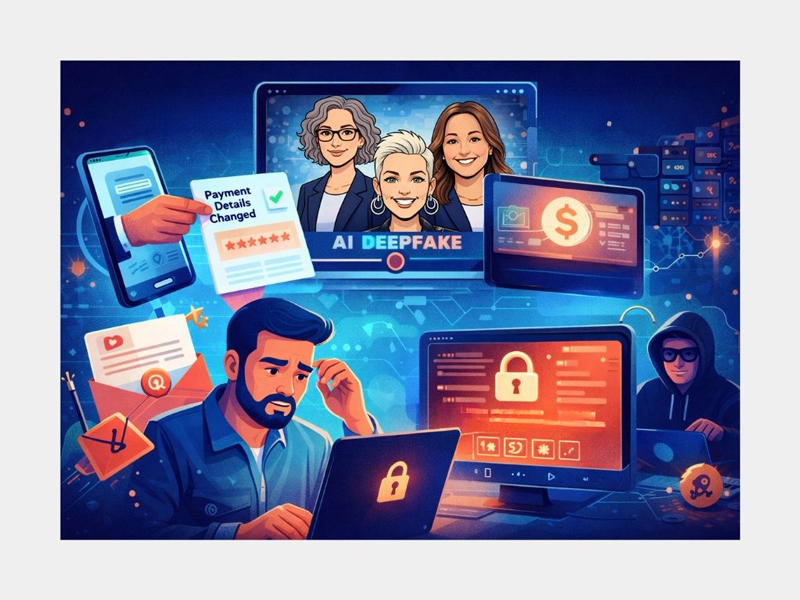
And how to stop them before they cost you time, money and sleep.
In 2026, business scams are no longer easy to spot, especially for small and medium businesses without dedicated IT teams. Here at HR Staff n’ Stuff we are certainly not experts in cybersecurity! However, over the past 12 months several of our clients have experienced some sort of cybersecurity attack, so we thought it would be prudent to kick off 2026 with some words of warning on what we understand to be the key issues, and what you can do to protect yourself so your business is not impacted in this dangerous time of cyber issues overlayed with AI concerns…
Here's a bit of what we have learned……
If it feels like scams are getting smarter, sneakier and harder to spot — you’re absolutely right.
In 2026, scams are no longer about badly-spelled emails from “a prince overseas”. They’re polished, personal, and sometimes genuinely scary in how convincing they are.
Small and medium businesses are now one of the biggest targets — because scammers know SMEs move fast, trust their people, and don’t always have big IT teams watching every click. You are not too small for criminals – in fact, across government and industry reports, a large share of cyber incidents are now reported by small and medium size businesses.
Here are the big concerns to watch out for this year:
1. The “Deepfake Boss” and Supplier Scam
This one is honestly chilling.
Scammers are now using AI-generated voice and video to pretend to be:
- Your boss
- A director
- Your accountant
- A trusted supplier
An employee might get:
- A voicemail that sounds exactly like their boss asking for an urgent payment
- A video call from someone who looks like a supplier asking to “update bank details”
- A message saying “I’m in a meeting - can you transfer this now?”
And because it sounds right, looks right, and feels urgent, people comply.
These scams have already cost businesses hundreds of thousands of dollars. One example occurred in Queensland, where Noosa Council paid more than $2 million to a fraudulent account after scammers impersonated a contractor and convinced staff to update bank details.
Rule of Thumb: Any request to change bank details or make urgent payments must be verified through a second channel - every single time. Implement a policy and make sure you train your team to do this.
2. Ransomware: When Your Whole Business Gets Locked
Ransomware attacks are growing fast. One wrong click, and suddenly:
- Your files are locked
- Your systems are frozen
- You’re told to pay thousands (or more) to get your data back
This can shut down payroll, invoicing, client records and everything else.
And here’s the worst part: paying doesn’t guarantee you’ll actually get your data back.
Watch out for any pressure to install remote access tools, open attachments from generic emails or “support” emails, or any advice to ignore a security pop-up “so we can help right now”.
Again, make sure you have a strong policy and ensure you train your team to be highly aware.
3. Emails and Texts That Look “Too Right”
We used to know a scam email straight away due to dodgy language, bad phrasing, wobbly logos, and inappropriate or generally un-Australian greetings. Scammers now use AI to write emails, texts and even websites that are well written and correctly branded.
Modern scam emails are:
- Well written
- Perfectly branded
- Signed by “real” people
- Using your logo, supplier names and real invoice numbers
They look too right to question.
Common ones include:
- “Updated invoice” emails
- “Your account will be suspended” messages
- “You’ve been overpaid, refund required” requests
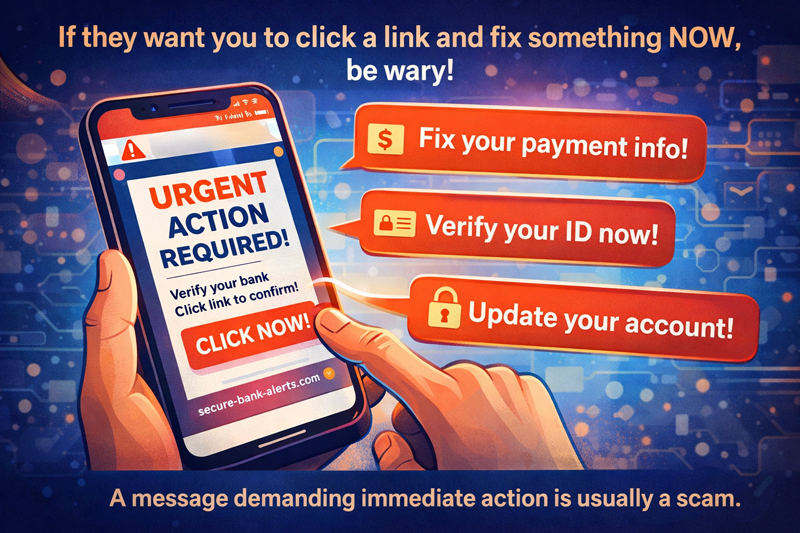
If something creates panic, urgency or pressure, that’s your first red flag. Anything that says “We have changed bank accounts, here are the new details”, or real breaches followed by fake “check if you were affected” links, is worth treading carefully with.
Beware of how real these can look. It's easy to be caught out. Sophisticated scammers now scrape LinkedIn, your own website, and those of your suppliers. They may even review team members listed on websites to look legitimate.
Avoid issues by having a two-step confirmation process - preferably you or one of your team directly calling the business on the number you have traditionally used and speaking to someone you know.
Why Do These Scams Keep Working?
Because they don’t hack computers. They hack people.
They rely on:
- Urgency
- Authority (“the boss said so”)
- Fear (“your account is suspended”)
- Helpfulness (“I’ll just fix this quickly”)
Good people trying to do the right thing are exactly who scammers rely on. The problem is not that your team aren’t smart. It’s usually a lack of training or awareness, which is why it’s important to keep putting these issues on your team’s radar so they stay hyper-alert. A once-a-year training session won’t cut it anymore. Keep raising it and keep reminding your team about the potential threats.
What You Can Do to Protect Yourself
You don’t need a massive IT department, but you do need clear habits.
At a minimum:
- Have a two-step verification process for payments and bank detail changes
- Back up your data regularly and test that the backups actually work
- Use multi-factor authentication on email and financial systems
- Keep software updated and make sure your team says “yes” every time they’re asked to allow an update
- Limit who can approve payments and access sensitive information
- Train your team to question everything
- Use strong, unique passwords and a password manager (don’t allow the same password for everything). I am so guilty of this myself, which is exactly what I’m fixing next
Train Your Team (Without Making It Boring)
Your team is your strongest defence, if they know what to look for.
Good training should:
- Use real-world examples (not tech jargon)
- Teach people to pause before clicking
- Make it okay to question “urgent” requests
- Encourage a culture of “better to double-check than be embarrassed”
- Be regular and practical. If you get a scam email or text, share it with the team and ask, “What would you do if you received this?”
Simple rules to teach:
- Stop. Think. Check.
- Verify payment and bank changes.
- If it feels rushed, strange or off, ask.
Artificial Intelligence (AI)
AI will be everywhere in 2026, including inside everyday small business apps. But that doesn’t mean every tool deserves the keys to your kingdom.
Think carefully before giving any AI tool blanket access to your entire Google Drive or Microsoft 365 account, including tools like ChatGPT. The same common-sense rule that would stop you from handing a stranger the keys to every filing cabinet in your office should apply to digital tools asking for access to every contract, client file and staff record you hold.
And of course, make sure your team knows not to put confidential, identifying or sensitive information of yours or your clients into any AI tool, especially free versions of things like ChatGPT.
Just because a tool can access everything doesn’t mean it should.
Final Thought
Scams in 2026 are slick, convincing and fast. But they’re not unstoppable.
The businesses that avoid getting caught are the ones that:
- Slow down
- Build checking habits
- Train their people
- Make it normal to question things
A few good processes and the right conversations with your team can save you thousands, and a whole lot of stress.
And one last thing. Make sure you have a paper list somewhere of people you may need to contact for help, advice or reporting in the case of a cyber attack. Your bank, IT provider, insurer and so forth. Guess what else I’m doing next.
In the event you do get caught out, here are some helpful contacts:
Report and monitor scams
Scamwatch, ACCC
https://www.scamwatch.gov.au/
Get official cyber alerts
Australian Cyber Security Centre
https://www.cyber.gov.au/
Free small business training
Cyber Wardens program
https://cyberwardens.com.au/about/
If identity details have been compromised
IDCARE
https://www.idcare.org/
While the team here at HR Staff n’ Stuff are always here to help, we’re not the best people to contact in the event of a cyber attack. However, we can certainly assist with prevention policies, training options, and support you and your team if needed.
Wishing you a successful, cyber-incident free 2026.